

How To Donate
Step 1: Click “Click Here to Donate” or scan the QR code. A new webpage will open up
Step 2: Enter an amount you wish to donate. You may select from the options or select “Other” to enter a specific amount.
Step 3: There will be a payment and review page. At the top of this page, there is a “Cover transaction cost” option, which will add money to the donation if you want to support the website that handles the donations. It is selected by default.
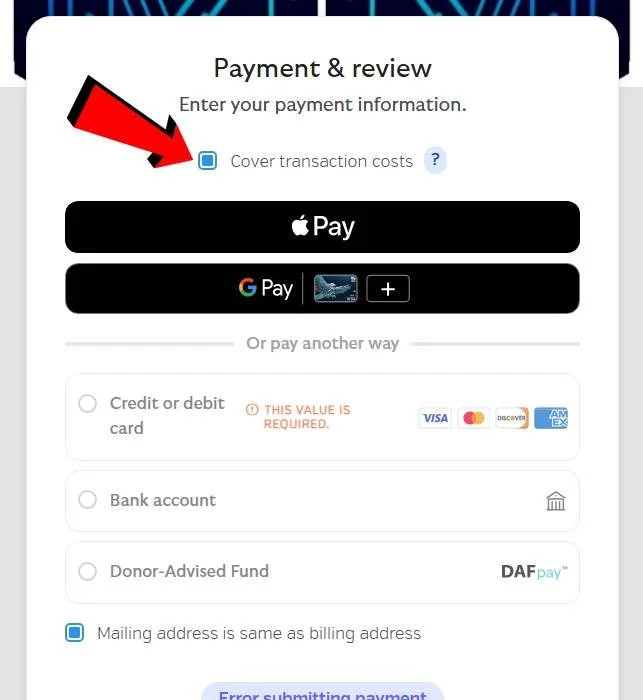
Step 4: Complete the form. You will receive an email with your receipt.
Thank you for considering donating!